cPanel’s MultiPHP Manager
cPanel has its own tool, MultiPHP Manager, which makes the process easy. Click on the MultiPHP Manager icon in the Software section of cPanel to get started!

Please Note: be sure to click on MultiPHP Manager and not MultiPHP INI Editor.
Change the PHP Version on Your Sites
Now that you know what the MultiPHP Manager is, we’ll show you how to use it to change the PHP version for your sites.
- Login to cPanel.
- Click the MultiPHP Manager link in the Software section of cPanel.
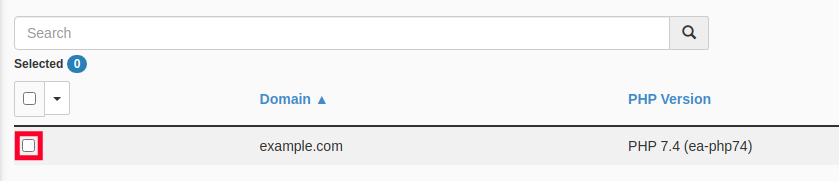
- Check the box for the site or sites you wish to update.
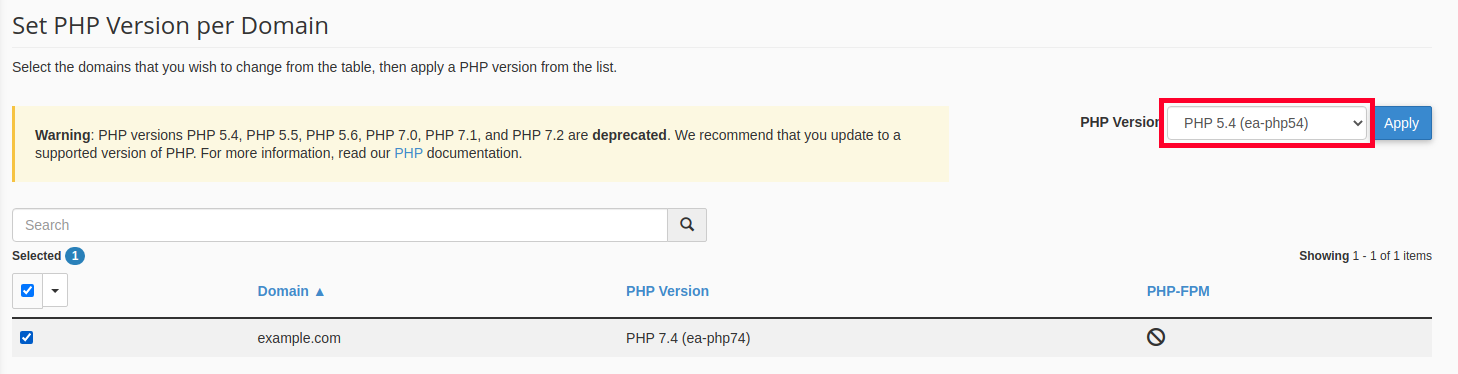
- Select the desired PHP Version from the drop-down menu.
- Click the Apply button.
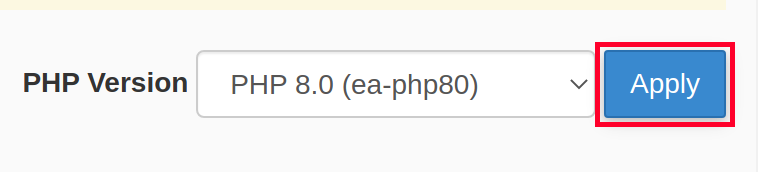
That’s all it takes to change the PHP version used on any site you choose.
