1. Log into your cPanel account.
2. In the "Software and Services" section, click on "Softaculous" Icon. 
3. cPanel will open a Softaculous Interface.
If you want to go back to cPanel, click on the "Go Back to Control Panel" icon. 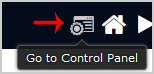
Knowledgebase
- Portal Home
- Knowledgebase
- Softaculous
- How to Access Softaculous in cPanel?
Categories
Categories
How to Access Softaculous in cPanel? Print
- 0
